
04 · Your diet
Eat your way.
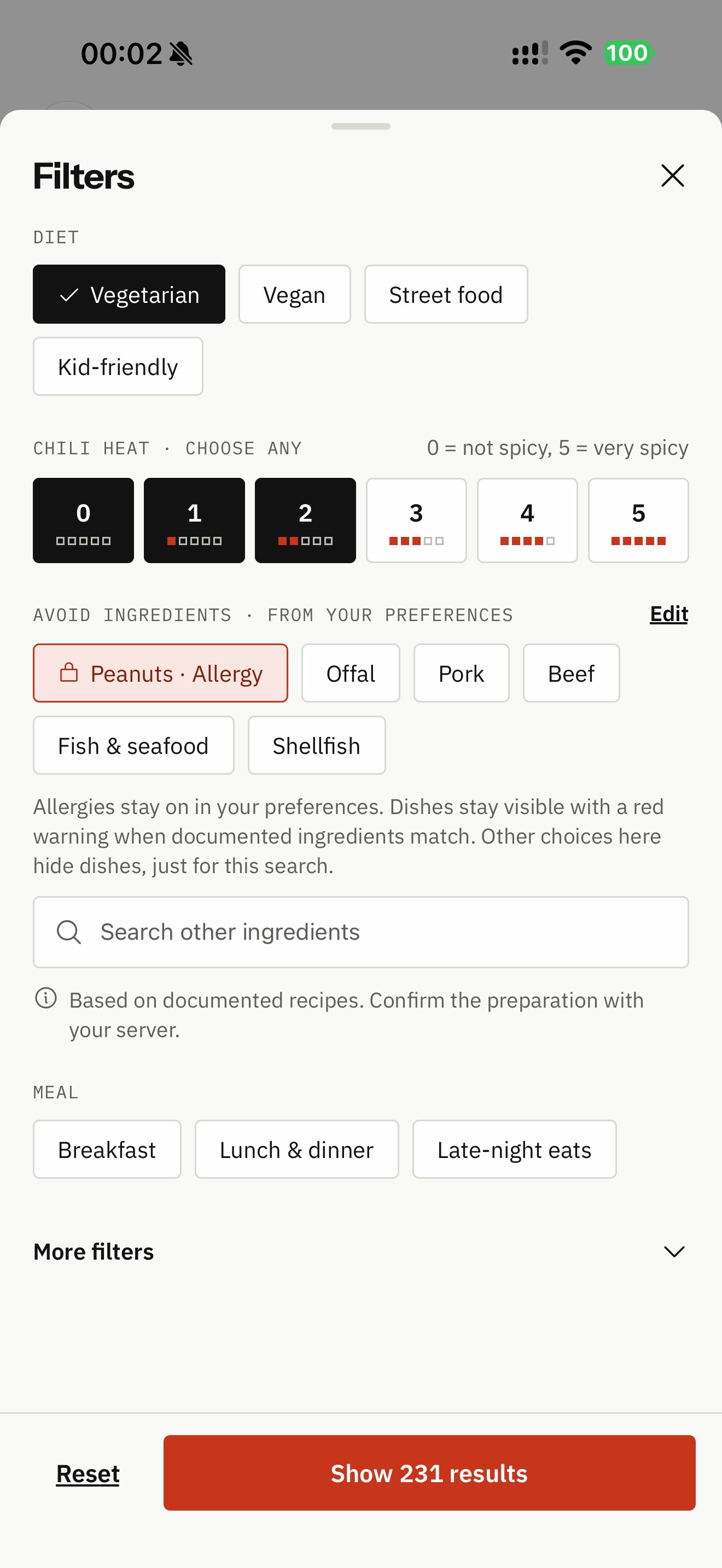
Filter by diet and spice level. Dishes with your allergens are flagged in red, never hidden.
The food app for your China trip
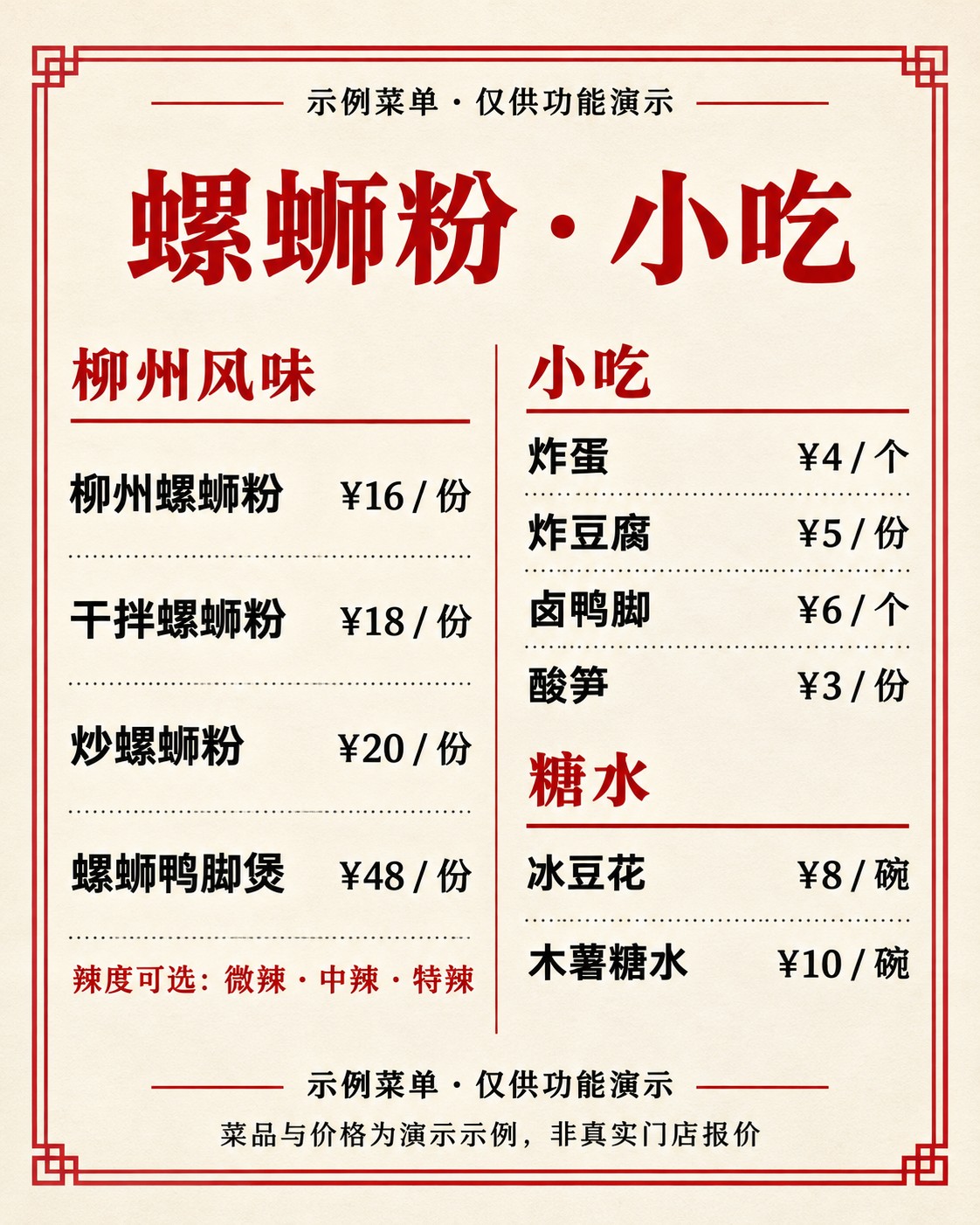
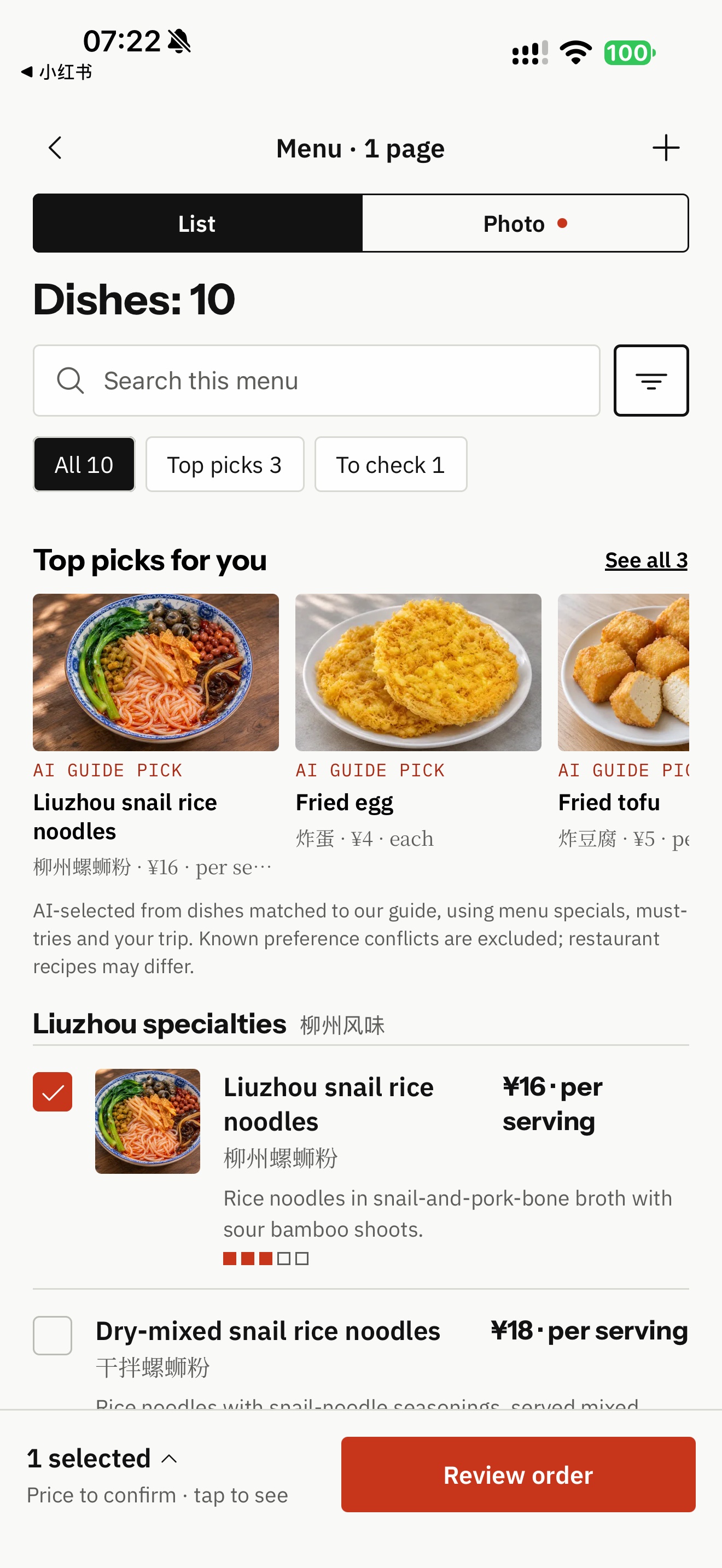
Snap a menu and get a shortlist you can actually order from, with dish explanations from our guide to 1,469 dishes.



02 · The guide
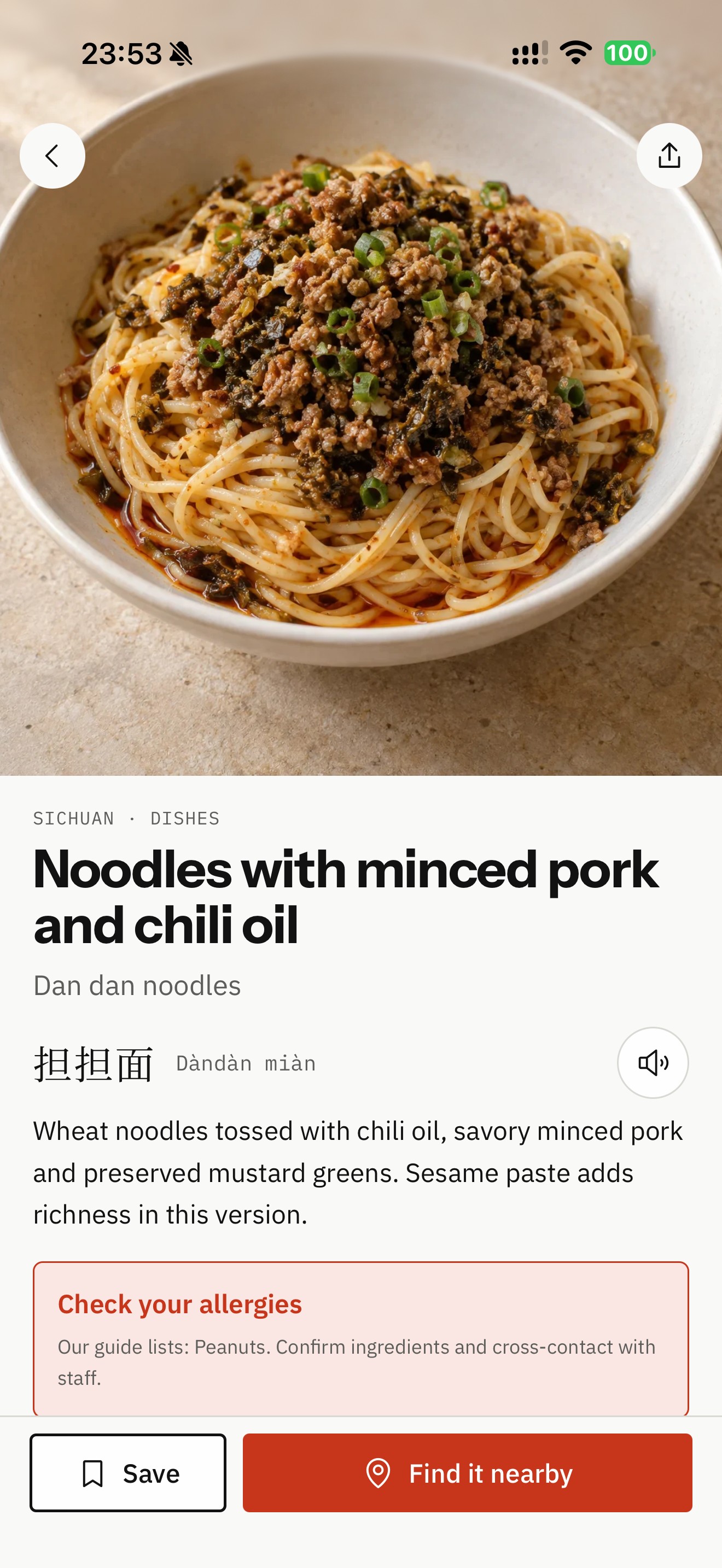
Behind every scan is our own guide: what a dish is, how it tastes, how spicy it is and what’s typically in it.
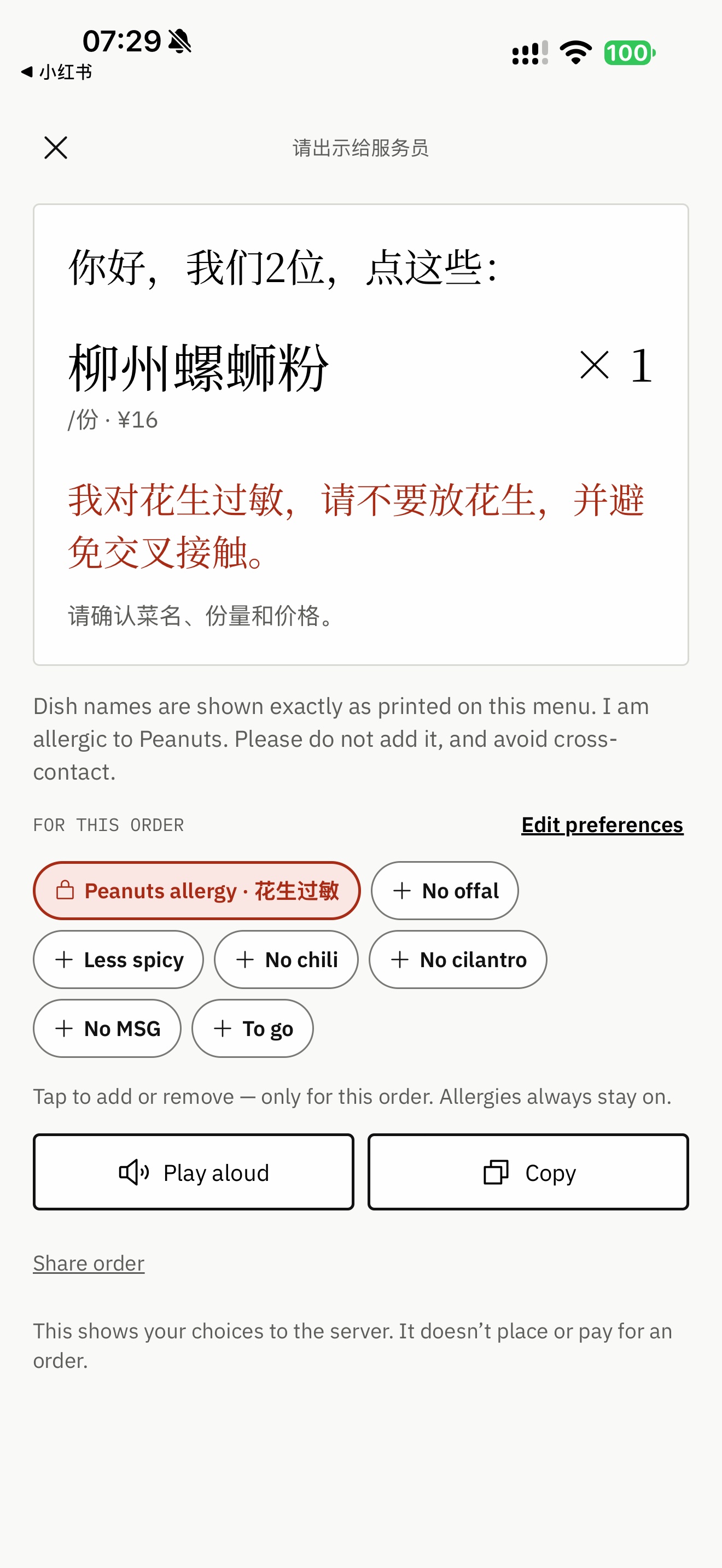
03 · At the table
Your order in large Chinese characters, with your allergies and requests spelled out. Hand over your phone, or play it aloud.
And at every meal
04 · Your diet
Filter by diet and spice level. Dishes with your allergens are flagged in red, never hidden.
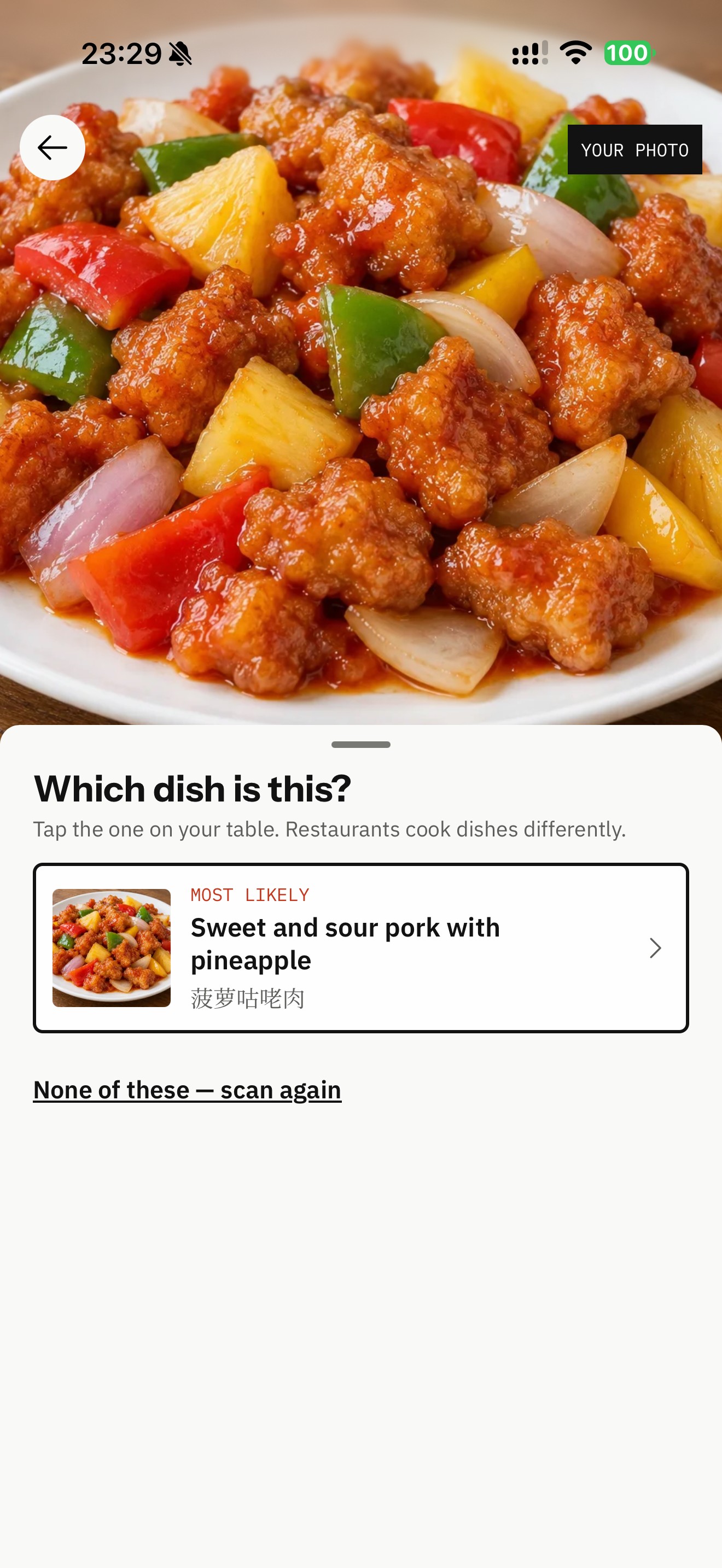
05 · AI Scan
Point your camera at a plate or a bottle and see what it may be, what’s typically in it and how spicy it is.
06 · Explore
From Sichuan to Hong Kong, see what people eat where you’re going — and what’s popular all over.
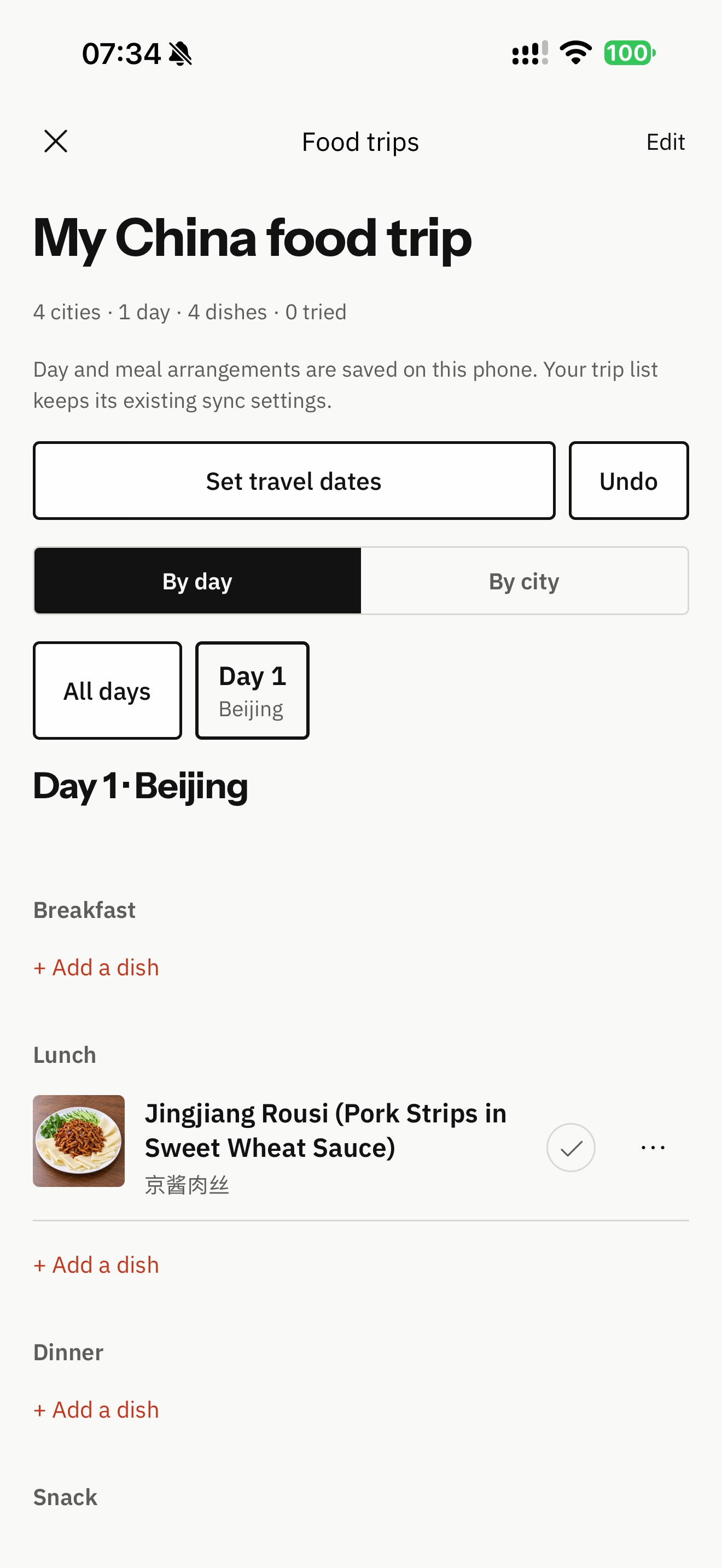
07 · Food Trip
Save dishes to a trip and get a food list for every day and city, with what you’ve tried ticked off.
FAQ
You can browse dishes, read the guides and start a food plan on this website. AI Scan, Show it to the staff and offline use are in the app.
AI Scan sends your selected photo and relevant text to our servers and OpenAI to read a menu or recognize a dish. The app asks for permission before your first scan, and you can withdraw it in Me → Privacy & data. Privacy policy
Download guides in the app before you go offline to read their saved text and images. AI Scan needs an internet connection.
Use them to help ask questions, not as a guarantee. Recipes and preparation vary. Always confirm ingredients and cross-contact with restaurant staff before ordering.
English, Japanese, Korean, French, German, Spanish, Italian, Brazilian Portuguese, Thai, Vietnamese, Indonesian, Arabic, Russian and Mongolian. Original Chinese dish names stay visible for ordering.
Get the app
Install before you fly — Google Play isn’t available in mainland China.